What is Digital Nomadism? Why are more people choosing to rent campervans?
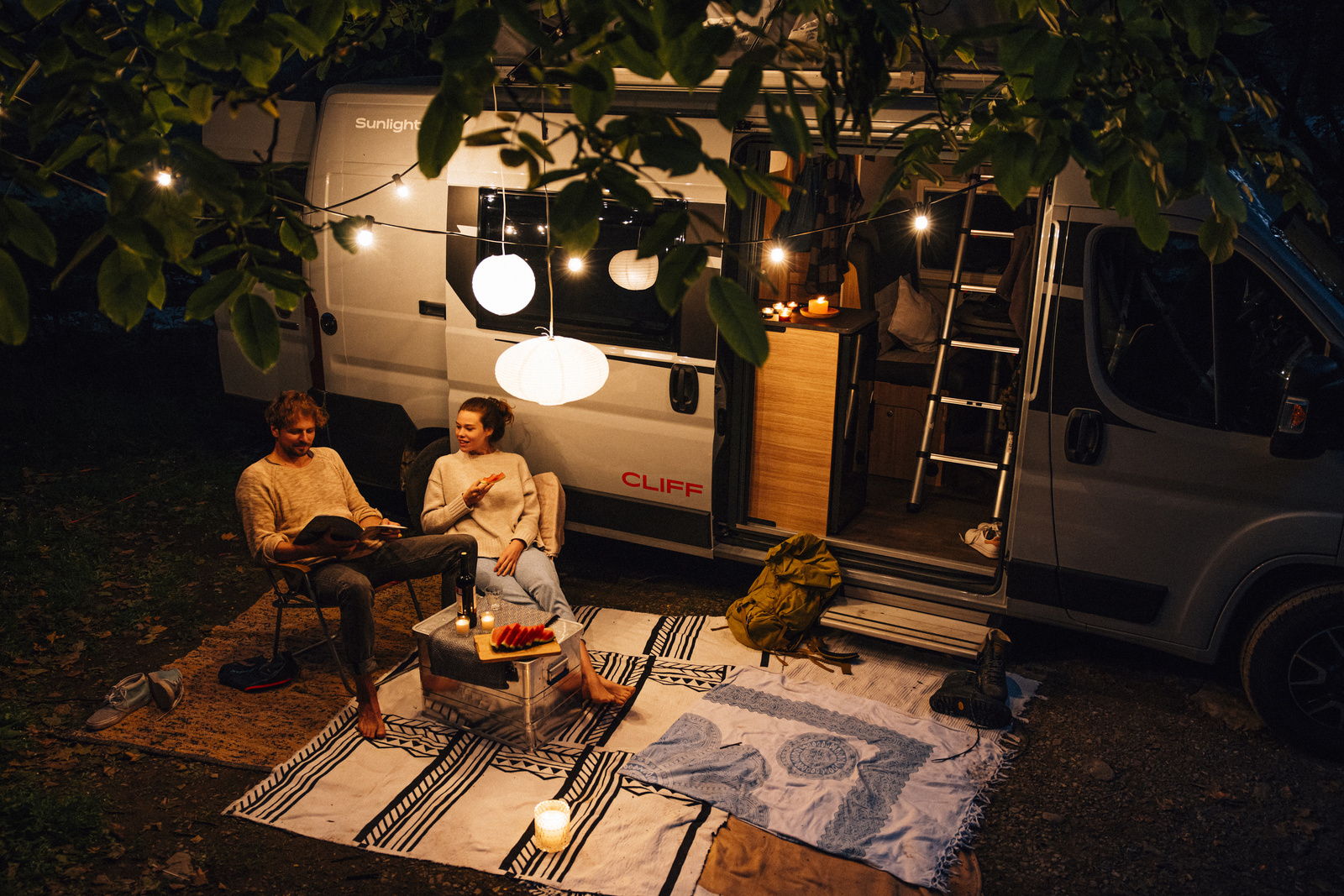
This article explains how to navigate the campervan rental process, allowing digital nomads to work more freely.
Digital Nomad Campervan Guide|Planning Work and Travel in Taiwan
Remote work can open up new choices about where a working day takes place. Some people stay in different cities; others combine a few days near the mountains or coast with their usual responsibilities.
This approach is often described as digital nomadism. A campervan offers one way to plan transport, accommodation and a potential workspace together.
Spend the day working at a confirmed site, then put the laptop away and explore nearby. You do not need to move every day: staying several nights in one place may suit work better.
This guide covers the concept, connectivity, electricity, workspace, Taiwan trip ideas and rental questions to help you assess whether working from a campervan fits your needs.
1. What Is a Digital Nomad?
A digital nomad generally works through online tools while living or traveling in different locations. It is not a job title, nor does it necessarily involve leaving employment. Some people freelance; others work remotely with their employer’s approval.
| Work category | Possible tasks | Questions before traveling |
|---|---|---|
| Design | Graphic design, UI/UX | Screen requirements, file sizes and desk space |
| Content creation | Writing, editing and video | Upload capacity, storage and backups |
| Marketing | Social media, SEO and project coordination | Meeting times and response expectations |
| Software development | Development, testing and collaboration | Connection reliability and system access |
| Freelance services | Translation, writing and consulting | Deadlines, calls and confidentiality |
Suitability depends on more than your occupation. Check employer or client requirements, location restrictions and whether you can maintain the required availability and output.
For a first attempt, choose a short trip during a manageable work period and see whether this arrangement fits your routine.
2. Why Consider a Campervan for Remote Work?
Take familiar belongings with you
A campervan can keep clothing, work equipment and everyday items in familiar places between stops. You still need to secure everything appropriately before driving.
Separate travel days from working days
Flexibility does not require daily moves. Staying several nights at one campsite may make it easier to concentrate and attend meetings than constantly changing locations.
Compare accommodation around your priorities
Campervans, hotels and short-term rentals can all support remote work under suitable conditions. Space, equipment and management arrangements matter more than a universal comfort ranking.
| Planning factor | Campervan with campsite | Hotel or guesthouse | Short-term rental |
|---|---|---|---|
| Workspace | Check table, seating and interior movement | Depends on room and shared facilities | Depends on furniture and layout |
| Internet | Mobile connection or confirmed site Wi-Fi | Check room coverage and conditions | Check service and actual performance |
| Electricity | Verify vehicle and campsite supply | Check room socket arrangements | Depends on sockets and supply conditions |
| Transport | Vehicle and accommodation combined; a site is still needed | Arranged separately | Arranged separately |
| Daily management | Water, electricity, equipment and tidying | Depends on accommodation services | Depends on facilities and agreement |
| Budget | Rental, campsite, transport, extras and supplies | Room, transport, parking and meals | Rent, transport and other agreed charges |
3. Four Conditions for Working from a Campervan
1. Internet: test your actual workflow
A mobile hotspot does not guarantee stable video calls at every pitch. Terrain, network coverage, position and demand can affect performance. Campsite Wi-Fi may also be unsuitable for large uploads.
Ask about recent experience before booking, then test your own laptop, meeting software and file transfers on arrival. Leave time before important calls and identify an alternative workspace. A second mobile network may provide backup where appropriate.
2. Electricity: establish how each device is powered
Batteries, USB ports and sockets do not establish that every device can run off-grid for extended periods. Confirm socket voltage, power source, inverter availability, supported loads and which functions require a hookup.
9O’s current CLIFF 600 and 601 pages state that their USB charging ports require an external power connection. Ask separately about laptops, monitors and network equipment rather than assuming all-day working power.
| Item | What to confirm |
|---|---|
| Laptop and charger | Voltage, charging needs, sockets and power source |
| Monitor and accessories | Combined demand, desk space and storage |
| Vehicle electrical system | Usable capacity, limits and charging arrangements |
| Campsite hookup | Connector requirements, supply limits and availability |
| Network equipment | Power source, reception and backup arrangements |
3. Workspace: try sitting down and working
A dining table can serve as a desk, but may not suit long typing sessions. Check depth, mouse space, seat height, legroom, lighting and screen glare.
If two people work remotely, consider simultaneous desk use, overlapping calls and whether one person can eat or rest while the other works.
4. Schedule: include travel and daily chores
Put important meetings on non-travel days and allow time for water, wastewater disposal, shopping and tidying. Set up work only after the vehicle is parked appropriately; driving and working should not happen simultaneously.
4. Choosing a Rental: Desk, Beds and Storage
CLIFF: assess the concentrated layout
The CLIFF range offers a starting point for comparing van-conversion living. Look at how the table, beds, kitchen and storage relate to your work equipment and routines.
9O presents different rear sleeping arrangements in the CLIFF 600 and 601. If you need a lounge conversion bed, check whether it affects the following day’s desk setup and where equipment can be stored.
T58 and other habitation-body layouts
For another interior arrangement, compare how models such as the T58 position the table, walkway, sleeping and storage areas.
More interior space does not automatically mean a better long-session workstation or rental availability. Confirm the current fleet, actual equipment and rental conditions first.
Work needs more than a tabletop
Laptops, chargers, monitors, cameras and documents need accessible storage that can also be secured for driving. Share an equipment list with the rental team and estimate the daily setup and packing time.
Consider berths, approved passenger capacity and workspace separately. A position beside the table is not necessarily an approved travel seat, and bed numbers do not establish passenger limits.
5. Why Rent First to Test Mobile Working?
A short rental lets you experience everyday routines before committing to a longer arrangement.
Use it to answer three questions: how long can I concentrate inside, do connectivity and electricity meet my needs, and am I comfortable with the daily chores?
Start with one campsite and a few leisure activities. Include at least one full working day without moving, note which equipment you use and record anything that falls short before extending the trip.
For a longer rental, separately confirm permitted duration, mileage, travel areas, pricing, maintenance and breakdown contacts. Short-rental terms should not be assumed to apply unchanged.
6. Taiwan Regions to Research for a Working Road Trip
Separate a good travel destination from a suitable work location. Attractive scenery does not establish reliable connectivity, adequate electricity or quiet conditions at every campsite.
These are travel-planning directions, not a list of verified remote-work sites. Confirm vehicle acceptance, extended-stay permission and facilities with each operator.
| Region | Travel direction | Check before working or staying |
|---|---|---|
| Hualien and Taitung | Coast, towns and local exploration | Pitch reception, supply distances, roads and weather |
| Nantou and the Qingjing area | Mountain scenery and campsite stays | Access roads, gradients, temperatures, internet and power |
| Yilan | Coast, countryside and nearby towns | Rain plans, reception, noise and supplies |
| Hengchun and the Kenting area | Southern coastal and town trips | Wind, rain, sun, interior temperature, parking and power |
For a first attempt, prioritize a site near supplies and an alternative workspace, then expand the distance as you learn your needs. Coastal parking and scenic stopping areas should not be assumed to permit overnight accommodation or camping.
For travel inspiration, see the following campervan experiences. Individual trips do not establish current overnight permission or suitability for remote work at the locations shown.
7. Frequently Asked Questions
Q1: Do I have to leave my job to become a digital nomad?
No. You may freelance or work remotely under an employer’s conditions. Confirm location, meeting, data-protection and delivery requirements rather than assuming online work can be performed anywhere.
Q2: Can I really work from a campervan?
Potentially, if connectivity, power, seating, temperature and your workflow align. Video meetings, large transfers and two people working simultaneously can require more than routine document editing.
Q3: What are the rental requirements?
Check the licence needed for the actual vehicle, along with age, experience, documents, payment and protection terms. Deposits or security arrangements depend on the current package and contract.
Q4: Is it suitable for beginners?
Start with a short route and a campsite confirmed to accept the vehicle. Allow time for the handover and equipment practice. Avoid combining a first trip with dense meetings, long drives and numerous sightseeing stops.
Q5: Can the onboard battery support a full working day?
Do not assume so. Runtime depends on usable capacity, supply arrangements, device demand and other loads. Confirm with the operator and investigate a suitable hookup when reliable electricity is essential.
Q6: Is working from a rented campervan cheaper?
Not necessarily. Add rental, campsite, fuel, mileage, internet, extras and supplies before comparing hotels or short-term accommodation. Include the effect of chores and setup on your working time too.
Conclusion: Build a Working Routine with Room for Scenery
Digital nomad travel does not need to start far away or involve daily moves. Choose a suitable place to stay, establish a dependable work routine and leave space for walks, meals and rest.
A campervan offers another living arrangement. Confirming connectivity, electricity, workspace and overnight conditions first gives you more room to enjoy the surroundings.
Interested in trying work and travel together? Ask 9O Traveller about current models, actual equipment and short- or longer-rental conditions, then begin with a duration and route you can manage.
Planning references: CLIFF 600 · CLIFF 601 · 東海岸/East Coast · 宜蘭海岸/Yilan Coast